Yep, we may get a tiny thank-you (read: commission) when you buy through
links on Techspotr — not enough for a yacht, but enough to keep the lights (and
servers) on.
Learn more
69
Highlights
38
Differences
8
Reactions
0
Likes
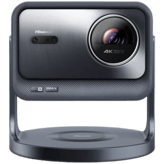
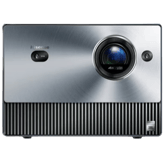
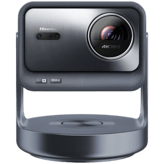
Hisense PL2
vs
Hisense PL1:
69 Highlights & 38 Differences —
So, Which Projector Actually Works Better
Both offer 4K laser phosphor tech with unique traits. Discover which fits your space and style.
What sets Hisense PL2 and Hisense PL1 apart? We looked at their product type, lens material, lens protection cover & dustproof lens design and key differences in this complete projectors face-off.
Hisense PL2 vs Hisense PL1: Ultra Short Throw 4K Laser Projector Face-Off
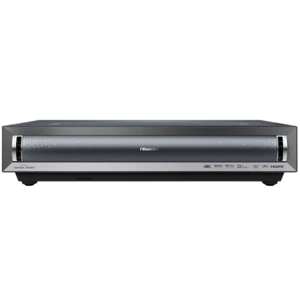
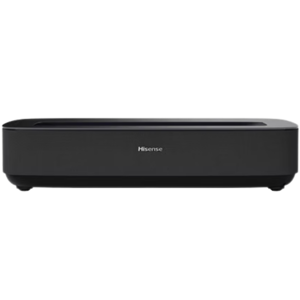
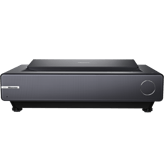
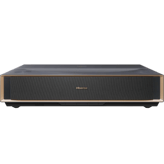
For home theater enthusiasts eyeing 4K ultra short-throw (UST) laser projectors, the Hisense PL2 and PL1 present compelling options packed with advanced features. Both projectors utilize DLP imaging chip technology, support HDR10, Dolby Vision, and HLG HDR formats, feature AI-based image processing with upscaling engines, and come equipped with intelligent cooling systems. Sharing Bluetooth 5.0, dual-band Wi-Fi, HDMI 2.1 ports, and built-in 30W stereo speakers with Dolby Audio, they promise excellent connectivity and immersive sound. Yet, despite these similarities, the PL2 leans into premium enhancements such as higher brightness, Android TV OS, and auto focus. At the same time, the PL1 offers appealing strengths like versatile color calibration, wireless casting, and a compact design at a more accessible price. Let's examine the specifics to see how these projectors stack against each other.
Shining Bright: What Makes the Hisense PL2 Stand Out
The Hisense PL2 is tailored for those craving a brighter and smarter home cinema experience. Pushing out 2700 ANSI lumens, it offers significantly more illumination than the PL1's 2200 lumens, making it well-suited for moderately lit rooms or larger screens up to 150 inches. This projector incorporates advanced AI-enhanced image processing alongside pixel shifting technology for sharp, detailed 4K visuals enriched by DCI-P3 calibration profiles.
Movie lovers will appreciate its Android TV OS, which includes built-in Netflix, YouTube, Prime Video, Disney+, and Hulu apps. This smart system supports voice control and a backlit remote for user-friendly navigation even in dim environments. Auto focus capability also saves time and hassle, delivering crisp images without manual adjustment. Connectivity options extend to Bluetooth audio output and optical sound output, enhancing compatibility with external sound systems. Furthermore, its 300W power consumption is managed via an intelligent cooling system, ensuring reliable performance during extended viewing sessions.
Hidden Gems in the Hisense PL1
The Hisense PL1 carves its niche as a budget-conscious 4K UST projector without compromising on essential quality. Despite a lower brightness of 2200 ANSI lumens, it boasts a striking 2,000,000:1 native contrast ratio, delivering deep blacks and vibrant colors, aided by comprehensive color calibration, including Rec709 and multiple cinema profiles. Added features such as skin tone correction and black level enhancement optimize picture quality further for movie buffs and gamers alike.
Its UI runs on the proprietary VIDAA U platform with support for popular streaming apps like YouTube, Prime Video, and Disney+, albeit without built-in Netflix. Wireless casting capability via Chromecast and AirPlay is a bonus for seamless screen mirroring from personal devices, a feature that the PL2 lacks in detail. The PL1's build combines plastic and metal, offering a durable yet compact footprint (18.1 inches wide and 17 pounds), ideal for tighter setups. Additionally, it features manual fixed focus with digital and optical zoom modes, allowing user control over image framing; tools that can be quite handy in custom installations or challenging spaces.
Quick Take
The Hisense PL2 wins with superior brightness, Android TV smart features including Netflix, and effortless auto focus, making it a stellar choice for immersive home theaters with larger screens. Meanwhile, the PL1 offers a robust color performance and wireless casting at a wallet-friendly price, fitting smaller rooms or users valuing flexibility over maximum luminance. Both projectors deliver solid 4K output with a rich feature set, but their distinct approaches cater to different audiences.
Bottom Line Recommendation
If you're after a premium 4K UST laser projector that shines in brightness, ease of use, and streaming versatility with Android TV, the Hisense PL2 is the go-to model. Its broad screen compatibility and enhanced smart environment justify the higher price for dedicated home cinema enthusiasts. On the other hand, the Hisense PL1 sinks in well for budget-conscious buyers seeking excellent image quality with advanced color tuning and wireless casting in a compact, durable form factor. It's ideal for spaces where absolute brightness is secondary to affordability and color accuracy.
Verdict
Winner: Hisense PL2 - Boasts higher brightness, Android TV with Netflix integration, and convenient auto focus, ideal for immersive large-screen viewing.
Runner-up: Hisense PL1 - Delivers excellent color calibration, wireless casting, and a sturdier build at a significantly lower price point for smaller spaces.
Side by side. The numbers. The features. No drama.
From specs to real-life pros and cons, we broke down everything you need to know about Hisense PL2 vs Hisense PL1. This is your go-to projectors comparison if you want clarity before buying — no fluff, just useful insights.
Who knows?
0Votes
Hisense PL1
(Help us out by suggesting one!)
vs
Imaging Chip Size
Hisense PL2 has an Imaging Chip Size of 0.47 inch, while Hisense PL1 does not list this specification, making precise comparison for this spec unavailable.
Specifies the size of the imaging chip. Larger chips generally improve performance.
Don’t keep it to yourself — be the first to react and review the
Imaging Chip Size on Hisense PL2 ◉
vs Hisense PL1 ◉ and help others decide!
Indicates the chip architecture that forms the image.
In the battle of Imaging Chip Type,
Hisense PL2 ◉ is
better than
Hisense PL1 ◉
, delivering
higher
1 score
measurement.
Don’t keep it to yourself — be the first to react and review the
Imaging Chip Type on Hisense PL2 ◉
vs Hisense PL1 ◉ and help others decide!
Intended Usage Type
What is the intended usage type of this projector?
54
Hisense PL2
0Votes
Home Theater, Office, Classroom, Gaming
78
Hisense PL1
0Votes
Home Theater
Hisense PL2
Intended usage types include home theater, office presentations, classroom settings, and gaming, making it a versatile projector for various environments.
Describes the ideal application for this projector.
In the battle of Intended Usage Type,
Hisense PL2 ◉ is
worse than
Hisense PL1 ◉
, delivering
lower
24 score
measurement.
Don’t keep it to yourself — be the first to react and review the
Intended Usage Type on Hisense PL2 ◉
vs Hisense PL1 ◉ and help others decide!
Color
What is the color of this projector?
0
Hisense PL2
0Votes
Plastic
28
Hisense PL1
0Votes
Black
Indicates the color finish of the projector body.
In the battle of Color,
Hisense PL2 ◉ is
worse than
Hisense PL1 ◉
, delivering
lower
28 score
measurement.
Don’t keep it to yourself — be the first to react and review the
Color on Hisense PL2 ◉
vs Hisense PL1 ◉ and help others decide!
Build Material
What is the build material of this projector?
39
Hisense PL2
0Votes
Plastic
63
Hisense PL1
0Votes
Plastic, Metal
Specifies the main construction material of the chassis.
In the battle of Build Material,
Hisense PL2 ◉ is
worse than
Hisense PL1 ◉
, delivering
lower
24 score
measurement.
Don’t keep it to yourself — be the first to react and review the
Build Material on Hisense PL2 ◉
vs Hisense PL1 ◉ and help others decide!
Hisense PL2 does not specify Frame Interpolation, whereas Hisense PL1 supports Frame Interpolation, potentially resulting in smoother motion in the PL1.
Allows smoother motion for sports and fast scenes.
Don’t keep it to yourself — be the first to react and review the
Frame Interpolation on Hisense PL2 ◉
vs Hisense PL1 ◉ and help others decide!
Brightness Output
What is the brightness output?
2,700
lumen
1Votes
2,100
lumen
0Votes
Hisense PL2
The brightness output of 2700 lumens supports clear and visible images in moderately bright rooms.
Indicates overall light output for visibility in ambient light.
In the battle of Brightness Output,
Hisense PL2 ◉ is
better than
Hisense PL1 ◉
, delivering
higher
600.0 lumen
measurement.
Based on community votes for Brightness Output,
Hisense PL2 ◉ earned
1 votes,
more than
Hisense PL1 ◉,
which got 0 votes.
The brightness on the PL2 is clearly better which really helps in brighter rooms or for bigger screens.
See more
Native Resolution
What is the native resolution of this projector?
99
Hisense PL2
0Votes
4K
98
Hisense PL1
0Votes
4K
Hisense PL2
The native resolution is 4K, ensuring sharp and detailed native image display without scaling artifacts.
The true physical pixel resolution produced by the projector.
In the battle of Native Resolution,
Hisense PL2 ◉ is
better than
Hisense PL1 ◉
, delivering
higher
1 score
measurement.
Don’t keep it to yourself — be the first to react and review the
Native Resolution on Hisense PL2 ◉
vs Hisense PL1 ◉ and help others decide!
Maximum Supported Resolution
What is the maximum supported resolution of this projector?
89
Hisense PL2
0Votes
4K
88
Hisense PL1
0Votes
4K
Hisense PL2
The maximum supported resolution is 4K, providing a very sharp and detailed image, suitable for high-definition content viewing.
The highest resolution signal the projector can accept.
In the battle of Maximum Supported Resolution,
Hisense PL2 ◉ is
better than
Hisense PL1 ◉
, delivering
higher
1 score
measurement.
Don’t keep it to yourself — be the first to react and review the
Maximum Supported Resolution on Hisense PL2 ◉
vs Hisense PL1 ◉ and help others decide!
Contrast Ratio
What is the contrast ratio of this projector?
1
Hisense PL2
0Votes
3,000:1
0
Hisense PL1
0Votes
2,000,000:1
Hisense PL2
The contrast ratio is 3,000:1, providing good dynamic range between dark and bright scenes for vibrant images.
Represents the difference between the darkest black and brightest white produced by the projector.
In the battle of Contrast Ratio,
Hisense PL2 ◉ is
better than
Hisense PL1 ◉
, delivering
higher
1 score
measurement.
Don’t keep it to yourself — be the first to react and review the
Contrast Ratio on Hisense PL2 ◉
vs Hisense PL1 ◉ and help others decide!
Dynamic Contrast Ratio
Deep dynamic contrast at :val.
11
Hisense PL2
0Votes
2,000,000:1
6
Hisense PL1
0Votes
2,000,000:1
Hisense PL1
With a Dynamic Contrast Ratio of 2,000,000:1, this projector delivers stunning contrast between dark and bright scenes, enhancing overall image quality.
What is the dynamic contrast ratio?
In the battle of Dynamic Contrast Ratio,
Hisense PL2 ◉ is
better than
Hisense PL1 ◉
, delivering
higher
5 score
measurement.
Don’t keep it to yourself — be the first to react and review the
Dynamic Contrast Ratio on Hisense PL2 ◉
vs Hisense PL1 ◉ and help others decide!
Pixel Shifting
Does this projector support pixel shifting?
Yes
0Votes
Hisense PL2
Yes
0Votes
Hisense PL1
Hisense PL2
Pixel shifting technology is included to enhance perceived resolution and detail from the projector.
Indicates whether resolution enhancement via pixel shifting is supported.
In the battle of Pixel Shifting,
Hisense PL2 ◉ is
same as
Hisense PL1 ◉
.
Don’t keep it to yourself — be the first to react and review the
Pixel Shifting on Hisense PL2 ◉
vs Hisense PL1 ◉ and help others decide!
Refresh Rate
What is the refresh rate?
60
Hz
0Votes
60
Hz
0Votes
Hisense PL2
The refresh rate is 60 Hz, providing smooth motion for general video content and gaming.
Determines motion smoothness for gaming and video.
In the battle of Refresh Rate,
Hisense PL2 ◉ is
same as
Hisense PL1 ◉
, delivering
equal
60.00 Hz
measurement.
Don’t keep it to yourself — be the first to react and review the
Refresh Rate on Hisense PL2 ◉
vs Hisense PL1 ◉ and help others decide!
Sharpness Enhancement Type
Crisp detail with sharpness level :val.
59
Hisense PL2
0Votes
2–4 (Balanced)
58
Hisense PL1
0Votes
2–4 (Balanced)
Hisense PL2
Sharpness enhancement is set to a balanced level between 2 to 4, offering clear images without excessive artificial sharpening artifacts.
What is the sharpness enhancement level?
In the battle of Sharpness Enhancement Type,
Hisense PL2 ◉ is
better than
Hisense PL1 ◉
, delivering
higher
1 score
measurement.
Don’t keep it to yourself — be the first to react and review the
Sharpness Enhancement Type on Hisense PL2 ◉
vs Hisense PL1 ◉ and help others decide!
Dynamic Lumens
What is the dynamic lumens rating?
Who knows?
0Votes
Hisense PL2
(Help us out by suggesting one!)
Who knows?
0Votes
Hisense PL1
(Help us out by suggesting one!)
Measures boosted brightness in enhanced dynamic modes.
Don’t keep it to yourself — be the first to react and review the
Dynamic Lumens on Hisense PL2 ◉
vs Hisense PL1 ◉ and help others decide!
Color Gamut Coverage
What is the color gamut coverage?
Who knows?
0Votes
Hisense PL2
(Help us out by suggesting one!)
Who knows?
0Votes
Hisense PL1
(Help us out by suggesting one!)
Indicates percent coverage of color spaces such as Rec.709 or DCI-P3.
Don’t keep it to yourself — be the first to react and review the
Color Gamut Coverage on Hisense PL2 ◉
vs Hisense PL1 ◉ and help others decide!
Color Bit Depth
What is the color bit depth?
Who knows?
0Votes
Hisense PL2
(Help us out by suggesting one!)
Who knows?
0Votes
Hisense PL1
(Help us out by suggesting one!)
Determines how finely color gradients are rendered.
Don’t keep it to yourself — be the first to react and review the
Color Bit Depth on Hisense PL2 ◉
vs Hisense PL1 ◉ and help others decide!
HDR Peak Brightness
What is the HDR peak brightness?
Who knows?
0Votes
Hisense PL2
(Help us out by suggesting one!)
Who knows?
0Votes
Hisense PL1
(Help us out by suggesting one!)
How bright the projector can go during HDR highlights.
Don’t keep it to yourself — be the first to react and review the
HDR Peak Brightness on Hisense PL2 ◉
vs Hisense PL1 ◉ and help others decide!
Motion Processing Type
Smooth motion processing with level :val.
49
Hisense PL2
0Votes
2–5 (Standard)
48
Hisense PL1
0Votes
2–5 (Standard)
What is the motion processing level?
In the battle of Motion Processing Type,
Hisense PL2 ◉ is
better than
Hisense PL1 ◉
, delivering
higher
1 score
measurement.
Don’t keep it to yourself — be the first to react and review the
Motion Processing Type on Hisense PL2 ◉
vs Hisense PL1 ◉ and help others decide!
Hisense PL2 supports a maximum screen size of 150 inches, whereas this specification is not available for Hisense PL1, thus we cannot compare maximum screen size.
Largest supported diagonal projection size.
In the battle of Screen Size Maximum,
Hisense PL2 ◉ is
better than
Hisense PL1 ◉
, delivering
higher
30.0 inch
measurement.
Based on community votes for Screen Size Maximum,
Hisense PL2 ◉ earned
1 votes,
more than
Hisense PL1 ◉,
which got 0 votes.
Who knows?
0Votes
Hisense PL2
(Help us out by suggesting one!)
1.6
ft
0Votes
vs
Maximum Throw Distance
Maximum Throw Distance is not available for Hisense PL2, but for Hisense PL1 it is 1.6 feet, indicating a known maximum projection distance only for the PL1.
Maximum distance at which the projector can achieve a proper image.
Don’t keep it to yourself — be the first to react and review the
Maximum Throw Distance on Hisense PL2 ◉
vs Hisense PL1 ◉ and help others decide!
Who knows?
0Votes
Hisense PL2
(Help us out by suggesting one!)
0.7
ft
0Votes
vs
Minimum Throw Distance
Minimum Throw Distance is not specified for Hisense PL2, while it is unavailable for Hisense PL1, so no minimum throw distance comparison can be made.
Closest usable distance between projector and screen.
Don’t keep it to yourself — be the first to react and review the
Minimum Throw Distance on Hisense PL2 ◉
vs Hisense PL1 ◉ and help others decide!
Throw Ratio
Flexible placement with :val throw ratio.
89
Hisense PL2
0Votes
0.2–0.5 (UST)
72
Hisense PL1
0Votes
0.2–0.5 (UST)
Hisense PL1
The Throw Ratio of 0.2–0.5 (UST) indicates it can project large images from a very short distance, making it perfect for tight spaces.
What is the throw ratio?
In the battle of Throw Ratio,
Hisense PL2 ◉ is
better than
Hisense PL1 ◉
, delivering
higher
17 score
measurement.
Don’t keep it to yourself — be the first to react and review the
Throw Ratio on Hisense PL2 ◉
vs Hisense PL1 ◉ and help others decide!
Ultra Short Throw
Does this projector support ultra short throw projection?
Yes
0Votes
Hisense PL2
Yes
0Votes
Hisense PL1
Hisense PL2
This model is an ultra short throw projector, meaning it can project large images from a very short distance from the screen or wall. This setup is ideal for small spaces.
Indicates whether the projector can project large images at extremely short distances.
In the battle of Ultra Short Throw,
Hisense PL2 ◉ is
same as
Hisense PL1 ◉
.
Don’t keep it to yourself — be the first to react and review the
Ultra Short Throw on Hisense PL2 ◉
vs Hisense PL1 ◉ and help others decide!
Keystone Correction Vertical
What is the vertical keystone correction?
8
degree
0Votes
Who knows?
0Votes
Hisense PL1
(Help us out by suggesting one!)
Hisense PL2
Vertical keystone correction up to 8 degrees helps adjust image geometry when the projector isn’t perfectly aligned with the screen.
Vertical angle adjustment to correct image distortion.
Don’t keep it to yourself — be the first to react and review the
Keystone Correction Vertical on Hisense PL2 ◉
vs Hisense PL1 ◉ and help others decide!
Screen Size Minimum
What is the minimum supported screen size?
80
inch
0Votes
80
inch
0Votes
Hisense PL2
The minimum screen size supported by the projector is 80 inches diagonal, suitable for immersive viewing experiences.
Smallest supported diagonal projection size.
In the battle of Screen Size Minimum,
Hisense PL2 ◉ is
same as
Hisense PL1 ◉
, delivering
equal
80.00 inch
measurement.
Don’t keep it to yourself — be the first to react and review the
Screen Size Minimum on Hisense PL2 ◉
vs Hisense PL1 ◉ and help others decide!
Lens Shift Vertical
What is the vertical lens shift?
Who knows?
0Votes
Hisense PL2
(Help us out by suggesting one!)
Who knows?
1Votes
Hisense PL1
(Help us out by suggesting one!)
Vertical lens movement for distortion-free positioning.
Based on community votes for Lens Shift Vertical,
Hisense PL2 ◉ earned
0 votes,
less than
Hisense PL1 ◉,
which got 1 votes.
I appreciate the PL1's wider compatibility with different throw distances making it flexible in smaller rooms.
See more
Keystone Correction Horizontal
What is the horizontal keystone correction?
Who knows?
0Votes
Hisense PL2
(Help us out by suggesting one!)
Who knows?
0Votes
Hisense PL1
(Help us out by suggesting one!)
Horizontal angle adjustment to correct image distortion.
Don’t keep it to yourself — be the first to react and review the
Keystone Correction Horizontal on Hisense PL2 ◉
vs Hisense PL1 ◉ and help others decide!
Lens Shift Horizontal
What is the horizontal lens shift?
Who knows?
0Votes
Hisense PL2
(Help us out by suggesting one!)
Who knows?
0Votes
Hisense PL1
(Help us out by suggesting one!)
Horizontal lens movement to fine-tune placement.
Don’t keep it to yourself — be the first to react and review the
Lens Shift Horizontal on Hisense PL2 ◉
vs Hisense PL1 ◉ and help others decide!
Digital Zoom Level
Useful zoom reaching :valx.
Who knows?
0Votes
Hisense PL2
(Help us out by suggesting one!)
38
Hisense PL1
0Votes
1.0x–1.1x (Minimal)
What is the digital zoom level?
Don’t keep it to yourself — be the first to react and review the
Digital Zoom Level on Hisense PL2 ◉
vs Hisense PL1 ◉ and help others decide!
Projection Alignment Type
What is the projection alignment type?
64
Hisense PL2
0Votes
Tabletop
38
Hisense PL1
0Votes
Front
Describes how the projector aligns with the screen.
In the battle of Projection Alignment Type,
Hisense PL2 ◉ is
better than
Hisense PL1 ◉
, delivering
higher
26 score
measurement.
Don’t keep it to yourself — be the first to react and review the
Projection Alignment Type on Hisense PL2 ◉
vs Hisense PL1 ◉ and help others decide!
Lens Replacement Compatibility is absent in both Hisense PL2 and Hisense PL1, so lens replacement options are not supported in either.
Indicates whether the projector's lens can be replaced or upgraded.
In the battle of Lens Replacement Compatibility,
Hisense PL2 ◉ is
same as
Hisense PL1 ◉
.
Don’t keep it to yourself — be the first to react and review the
Lens Replacement Compatibility on Hisense PL2 ◉
vs Hisense PL1 ◉ and help others decide!
Lens Coating Type
What is the lens coating type?
69
Hisense PL2
0Votes
Anti-Reflective
87
Hisense PL1
0Votes
Anti-Reflective
Hisense PL2
The lens coating type is anti-reflective, which helps reduce glare and improves image clarity.
Hisense PL1
The Lens Coating Type is Anti-Reflective, helping to minimize glare and enhance picture quality during viewing.
Defines special coatings that enhance optical performance.
In the battle of Lens Coating Type,
Hisense PL2 ◉ is
worse than
Hisense PL1 ◉
, delivering
lower
18 score
measurement.
Don’t keep it to yourself — be the first to react and review the
Lens Coating Type on Hisense PL2 ◉
vs Hisense PL1 ◉ and help others decide!
Auto Focus
Does this projector support auto focus?
Yes
1Votes
Hisense PL2
No
0Votes
Hisense PL1
Hisense PL2
Auto focus capability adjusts the image sharpness automatically, improving user convenience and viewing quality.
Indicates whether the projector can automatically adjust focus.
In the battle of Auto Focus,
Hisense PL2 ◉ is
better than
Hisense PL1 ◉
, delivering
higher
40 score
measurement.
Based on community votes for Auto Focus,
Hisense PL2 ◉ earned
1 votes,
more than
Hisense PL1 ◉,
which got 0 votes.
What is the color temperature setting of this projector?
39
Hisense PL2
0Votes
Warm, Neutral, Cool, Custom
36
Hisense PL1
0Votes
Warm, Neutral, Cool, Custom
Hisense PL2
Color temperature options include warm, neutral, cool, and custom settings to tailor image tone preferences.
Hisense PL1
This projector allows users to choose from Color Temperature Presets like Warm, Neutral, Cool, and Custom, catering to various lighting needs and preferences.
Defines the visual warmth or coolness profile of the projected image.
In the battle of Color Temperature,
Hisense PL2 ◉ is
better than
Hisense PL1 ◉
, delivering
higher
3 score
measurement.
Don’t keep it to yourself — be the first to react and review the
Color Temperature on Hisense PL2 ◉
vs Hisense PL1 ◉ and help others decide!
Hisense PL2 offers a Light Source Lifetime in Eco Mode of 25000 hours, while Hisense PL1 provides a normal mode lifetime of 25000 hours, indicating similar longevity though specified differently.
Estimated lifespan of the light source in eco mode.
In the battle of Light Source Lifetime Eco Mode,
Hisense PL2 ◉ is
same as
Hisense PL1 ◉
, delivering
equal
25,000.00 hour
measurement.
Don’t keep it to yourself — be the first to react and review the
Light Source Lifetime Eco Mode on Hisense PL2 ◉
vs Hisense PL1 ◉ and help others decide!
The light source normal mode lifetime is 25,000 hours, meaning the laser module can provide many years of use before replacement is necessary.
Estimated lifespan in standard usage mode.
In the battle of Light Source Lifetime Normal Mode,
Hisense PL2 ◉ is
same as
Hisense PL1 ◉
, delivering
equal
25,000.00 hour
measurement.
Don’t keep it to yourself — be the first to react and review the
Light Source Lifetime Normal Mode on Hisense PL2 ◉
vs Hisense PL1 ◉ and help others decide!
What type of image scaling engine does this projector use?
99
Hisense PL2
0Votes
AI Upscaling
98
Hisense PL1
0Votes
AI Upscaling
vs
Image Scaling Engine Type
Hisense PL2 uses AI Upscaling as its Image Scaling Engine Type, while this spec is not specified for Hisense PL1, indicating potential better upscaling on PL2.
Defines the scaling engine used to upscale lower-resolution content to the projector’s native resolution.
In the battle of Image Scaling Engine Type,
Hisense PL2 ◉ is
better than
Hisense PL1 ◉
, delivering
higher
1 score
measurement.
Don’t keep it to yourself — be the first to react and review the
Image Scaling Engine Type on Hisense PL2 ◉
vs Hisense PL1 ◉ and help others decide!
Color Calibration Profiles
What color calibration profiles are available?
79
Hisense PL2
0Votes
DCI-P3
74
Hisense PL1
1Votes
Rec709, DCI-P3, Cinema, Game
Hisense PL2
Color calibration profiles include DCI-P3, a wide color gamut standard used in digital cinema for more vivid colors.
Hisense PL1
The projector offers multiple Color Calibration Profiles including Rec709, DCI-P3, Cinema, and Game modes, allowing users to choose the best setting for their viewing preferences.
Predefined settings for accurate color reproduction.
In the battle of Color Calibration Profiles,
Hisense PL2 ◉ is
better than
Hisense PL1 ◉
, delivering
higher
5 score
measurement.
Based on community votes for Color Calibration Profiles,
Hisense PL2 ◉ earned
0 votes,
less than
Hisense PL1 ◉,
which got 1 votes.
I love how the PL1 offers more detailed color calibration options which can really make your movies pop.
See more
Image Processor Type
What is the image processor type?
89
Hisense PL2
0Votes
AI-Enhanced
68
Hisense PL1
0Votes
Advanced
Hisense PL2
The image processor type is AI-enhanced, which means it uses artificial intelligence technology to improve image quality dynamically.
Hisense PL1
This model is equipped with an Image Processor Type that is categorized as Advanced, enhancing your viewing experience with superior image detail and clarity.
Specifies the processing engine that handles color, scaling, and image optimization.
In the battle of Image Processor Type,
Hisense PL2 ◉ is
better than
Hisense PL1 ◉
, delivering
higher
21 score
measurement.
Don’t keep it to yourself — be the first to react and review the
Image Processor Type on Hisense PL2 ◉
vs Hisense PL1 ◉ and help others decide!
Color Temperature Presets
What color temperature presets does this projector offer?
39
Hisense PL2
0Votes
Warm, Neutral, Cool
64
Hisense PL1
0Votes
Warm, Neutral, Cool
Hisense PL2
Color temperature presets enable quick selection between warm, neutral, and cool image tones.
Preset visual warmth settings for different content.
In the battle of Color Temperature Presets,
Hisense PL2 ◉ is
worse than
Hisense PL1 ◉
, delivering
lower
25 score
measurement.
Don’t keep it to yourself — be the first to react and review the
Color Temperature Presets on Hisense PL2 ◉
vs Hisense PL1 ◉ and help others decide!
Noise Reduction Type
What type of noise reduction does this projector use?
79
Hisense PL2
0Votes
Advanced
68
Hisense PL1
0Votes
Motion Adaptive
Hisense PL2
Noise reduction type is advanced, which mitigates image noise and artifacts for a cleaner picture.
Indicates the technique used to reduce visual noise and artifacts for a cleaner image.
In the battle of Noise Reduction Type,
Hisense PL2 ◉ is
better than
Hisense PL1 ◉
, delivering
higher
11 score
measurement.
Don’t keep it to yourself — be the first to react and review the
Noise Reduction Type on Hisense PL2 ◉
vs Hisense PL1 ◉ and help others decide!
Image Processing Bit Depth
What is the image processing bit depth?
Who knows?
0Votes
Hisense PL2
(Help us out by suggesting one!)
Who knows?
0Votes
Hisense PL1
(Help us out by suggesting one!)
Indicates color precision and gradient smoothness.
Don’t keep it to yourself — be the first to react and review the
Image Processing Bit Depth on Hisense PL2 ◉
vs Hisense PL1 ◉ and help others decide!
Auto Color Correction
Does this projector have auto color correction?
Yes
0Votes
Hisense PL2
Yes
0Votes
Hisense PL1
Automatically adjusts colors for the best image quality.
In the battle of Auto Color Correction,
Hisense PL2 ◉ is
same as
Hisense PL1 ◉
.
Don’t keep it to yourself — be the first to react and review the
Auto Color Correction on Hisense PL2 ◉
vs Hisense PL1 ◉ and help others decide!
Gamma Adjustment Levels
How many gamma adjustment levels are available?
Who knows?
0Votes
Hisense PL2
(Help us out by suggesting one!)
27
Hisense PL1
0Votes
Multiple
Controls mid-tone brightness for accurate contrast.
Don’t keep it to yourself — be the first to react and review the
Gamma Adjustment Levels on Hisense PL2 ◉
vs Hisense PL1 ◉ and help others decide!
Black Level Enhancement
Does this projector include black level enhancement?
No
0Votes
Hisense PL2
Yes
0Votes
Hisense PL1
Deepens dark scenes for improved shadow detail.
Don’t keep it to yourself — be the first to react and review the
Black Level Enhancement on Hisense PL2 ◉
vs Hisense PL1 ◉ and help others decide!
Color Wheel Speed (for DLP)
What is the color wheel speed of this projector?
0
Hisense PL2
0Votes
No
Who knows?
0Votes
Hisense PL1
(Help us out by suggesting one!)
Defines the rotational speed of the DLP color wheel, affecting color accuracy and rainbow artifact reduction.
Don’t keep it to yourself — be the first to react and review the
Color Wheel Speed (for DLP) on Hisense PL2 ◉
vs Hisense PL1 ◉ and help others decide!
88
Hisense PL2
0Votes
Netflix, YouTube, Prime Video, Disney+, Hulu
86
Hisense PL1
0Votes
YouTube, Prime Video, Disney+
vs
Built-In Streaming Apps
The Built-In Streaming Apps on Hisense PL2 include Netflix, YouTube, Prime Video, Disney+, and Hulu, whereas Hisense PL1 supports YouTube, Prime Video, and Disney+, meaning PL2 offers a broader app selection.
Lists available preinstalled streaming services.
In the battle of Built-In Streaming Apps,
Hisense PL2 ◉ is
better than
Hisense PL1 ◉
, delivering
higher
2 score
measurement.
Don’t keep it to yourself — be the first to react and review the
Built-In Streaming Apps on Hisense PL2 ◉
vs Hisense PL1 ◉ and help others decide!
Wi-Fi Band Support for Hisense PL2 includes both 2.4GHz and 5GHz, while this spec is not given for Hisense PL1, so PL2 may offer more flexible wireless connectivity.
Indicates the supported wireless frequency bands.
In the battle of Wi-Fi Band Support,
Hisense PL2 ◉ is
worse than
Hisense PL1 ◉
, delivering
lower
19 score
measurement.
Don’t keep it to yourself — be the first to react and review the
Wi-Fi Band Support on Hisense PL2 ◉
vs Hisense PL1 ◉ and help others decide!
What screen mirroring standard does this projector support?
53
Hisense PL2
0Votes
Chromecast, AirPlay
88
Hisense PL1
0Votes
AirPlay, Chromecast
vs
Screen Mirroring Standard
Screen Mirroring Standard for Hisense PL2 supports both Chromecast and AirPlay, whereas this is unspecified for Hisense PL1, suggesting better mirroring options for PL2.
Specifies which standard is used for mirroring devices.
In the battle of Screen Mirroring Standard,
Hisense PL2 ◉ is
worse than
Hisense PL1 ◉
, delivering
lower
35 score
measurement.
Don’t keep it to yourself — be the first to react and review the
Screen Mirroring Standard on Hisense PL2 ◉
vs Hisense PL1 ◉ and help others decide!
Indicates whether microphones can be connected for presentations or karaoke.
In the battle of Microphone Input,
Hisense PL2 ◉ is
same as
Hisense PL1 ◉
.
Don’t keep it to yourself — be the first to react and review the
Microphone Input on Hisense PL2 ◉
vs Hisense PL1 ◉ and help others decide!
Bluetooth Audio Output
Does this projector support Bluetooth audio output?
Yes
0Votes
Hisense PL2
Yes
0Votes
Hisense PL1
Hisense PL2
Bluetooth audio output capability means the projector can send audio wirelessly to compatible Bluetooth speakers or headphones.
Hisense PL1
This model supports Bluetooth Audio Output, allowing for wireless connection to audio devices, enhancing your sound experience without the clutter of wires.
Allows wireless output to speakers or headphones.
In the battle of Bluetooth Audio Output,
Hisense PL2 ◉ is
same as
Hisense PL1 ◉
.
Don’t keep it to yourself — be the first to react and review the
Bluetooth Audio Output on Hisense PL2 ◉
vs Hisense PL1 ◉ and help others decide!
Audio Processing Type
What type of audio processing does this projector use?
59
Hisense PL2
0Votes
Enhanced
48
Hisense PL1
0Votes
Surround
Defines the audio enhancement engine used to improve clarity, bass response, and spatial sound.
In the battle of Audio Processing Type,
Hisense PL2 ◉ is
better than
Hisense PL1 ◉
, delivering
higher
11 score
measurement.
Don’t keep it to yourself — be the first to react and review the
Audio Processing Type on Hisense PL2 ◉
vs Hisense PL1 ◉ and help others decide!
DTS Audio
Does this projector support DTS audio?
No
0Votes
Hisense PL2
No
0Votes
Hisense PL1
Indicates whether DTS audio decoding is available.
In the battle of DTS Audio,
Hisense PL2 ◉ is
same as
Hisense PL1 ◉
.
Don’t keep it to yourself — be the first to react and review the
DTS Audio on Hisense PL2 ◉
vs Hisense PL1 ◉ and help others decide!
Fan Noise Level
What is the fan noise level?
Who knows?
0Votes
Hisense PL2
(Help us out by suggesting one!)
Who knows?
0Votes
Hisense PL1
(Help us out by suggesting one!)
Measures ambient noise from the projector fan.
Don’t keep it to yourself — be the first to react and review the
Fan Noise Level on Hisense PL2 ◉
vs Hisense PL1 ◉ and help others decide!
88
Hisense PL1
0Votes
Quick Settings, Advanced Settings, Icon-Based Menu
vs
On-Screen Menu Features
Hisense PL2 includes Quick Settings, Advanced Settings, Icon-Based Menu, and Picture Wizard in the On-Screen Menu Features, while this is unspecified for Hisense PL1, indicating more detailed settings on PL2.
Describes navigational and functional features available inside the on-screen display (OSD) menu.
In the battle of On-Screen Menu Features,
Hisense PL2 ◉ is
worse than
Hisense PL1 ◉
, delivering
lower
14 score
measurement.
Don’t keep it to yourself — be the first to react and review the
On-Screen Menu Features on Hisense PL2 ◉
vs Hisense PL1 ◉ and help others decide!
Who knows?
0Votes
Hisense PL1
(Help us out by suggesting one!)
vs
Power Consumption Normal Mode
Power Consumption Normal Mode is 300 Watts for Hisense PL2 and unspecified for Hisense PL1, so direct power usage comparison cannot be made.
Average power usage while running at full performance.
Don’t keep it to yourself — be the first to react and review the
Power Consumption Normal Mode on Hisense PL2 ◉
vs Hisense PL1 ◉ and help others decide!
What thermal control technology does this projector use?
99
Hisense PL2
0Votes
Intelligent Cooling
88
Hisense PL1
0Votes
Intelligent Cooling
vs
Thermal Control Technology
Thermal Control Technology is Intelligent Cooling for Hisense PL2, while this is unspecified for Hisense PL1, which may suggest better heat management in PL2.
Defines the system used to manage heat and maintain safe operating temperatures.
In the battle of Thermal Control Technology,
Hisense PL2 ◉ is
better than
Hisense PL1 ◉
, delivering
higher
11 score
measurement.
Don’t keep it to yourself — be the first to react and review the
Thermal Control Technology on Hisense PL2 ◉
vs Hisense PL1 ◉ and help others decide!
Tripod Mount Compatibility is not available on both Hisense PL2 and Hisense PL1, limiting mounting flexibility similarly.
Indicates whether the projector can attach to tripods.
In the battle of Tripod Mount Compatibility,
Hisense PL2 ◉ is
same as
Hisense PL1 ◉
.
Don’t keep it to yourself — be the first to react and review the
Tripod Mount Compatibility on Hisense PL2 ◉
vs Hisense PL1 ◉ and help others decide!
Width
What is the width of the projector?
20.9
inch
0Votes
18.1
inch
0Votes
Hisense PL2
The width of the projector measures 20.9 inches (53.1 cm), providing an idea of the device's footprint.
Hisense PL1
The projector has a Width of 18.1 inches, which is approximately 46 cm.
Physical width of the projector body.
In the battle of Width,
Hisense PL2 ◉ is
worse than
Hisense PL1 ◉
, delivering
higher
2.8 inch
measurement.
Don’t keep it to yourself — be the first to react and review the
Width on Hisense PL2 ◉
vs Hisense PL1 ◉ and help others decide!
Package Width
What is the package width?
24
inch
0Votes
Who knows?
0Votes
Hisense PL1
(Help us out by suggesting one!)
Hisense PL2
Package width is 24 inches (61 cm), useful for shipping and storage considerations.
Width of the boxed projector.
Don’t keep it to yourself — be the first to react and review the
Package Width on Hisense PL2 ◉
vs Hisense PL1 ◉ and help others decide!
Package Depth
What is the package depth?
17.1
inch
0Votes
Who knows?
0Votes
Hisense PL1
(Help us out by suggesting one!)
Hisense PL2
Package depth is 17.1 inches (43.43 cm), indicating the physical packaging size for transport and storage.
Depth of the boxed projector.
Don’t keep it to yourself — be the first to react and review the
Package Depth on Hisense PL2 ◉
vs Hisense PL1 ◉ and help others decide!
Package Height
What is the package height?
9.8
inch
0Votes
Who knows?
0Votes
Hisense PL1
(Help us out by suggesting one!)
Hisense PL2
Package height is 9.8 inches (24.9 cm), useful for planning storage or shelf space.
Height of the boxed projector.
Don’t keep it to yourself — be the first to react and review the
Package Height on Hisense PL2 ◉
vs Hisense PL1 ◉ and help others decide!
Mounting Type
What is the mounting type?
39
Hisense PL2
0Votes
Tabletop
38
Hisense PL1
0Votes
Tabletop
Hisense PL2
The mounting type for this projector is tabletop, which means it is designed to be placed on flat surfaces like tables rather than ceiling or wall mounts.
Describes available mounting configurations.
In the battle of Mounting Type,
Hisense PL2 ◉ is
better than
Hisense PL1 ◉
, delivering
higher
1 score
measurement.
Don’t keep it to yourself — be the first to react and review the
Mounting Type on Hisense PL2 ◉
vs Hisense PL1 ◉ and help others decide!
Body Ventilation Design
What is the body ventilation design of this projector?
59
Hisense PL2
0Votes
Front Vent
73
Hisense PL1
0Votes
Rear Vent
Hisense PL2
The body ventilation design uses front vents to dissipate heat, which helps maintain optimal temperature while potentially reducing noise.
Describes the airflow layout used to cool the internal components.
In the battle of Body Ventilation Design,
Hisense PL2 ◉ is
worse than
Hisense PL1 ◉
, delivering
lower
14 score
measurement.
Don’t keep it to yourself — be the first to react and review the
Body Ventilation Design on Hisense PL2 ◉
vs Hisense PL1 ◉ and help others decide!
Folded Width
What is the folded width?
Who knows?
0Votes
Hisense PL2
(Help us out by suggesting one!)
Who knows?
0Votes
Hisense PL1
(Help us out by suggesting one!)
Width when the projector or components are folded (if applicable).
Don’t keep it to yourself — be the first to react and review the
Folded Width on Hisense PL2 ◉
vs Hisense PL1 ◉ and help others decide!
Folded Depth
What is the folded depth?
Who knows?
0Votes
Hisense PL2
(Help us out by suggesting one!)
Who knows?
0Votes
Hisense PL1
(Help us out by suggesting one!)
Folded depth measurement.
Don’t keep it to yourself — be the first to react and review the
Folded Depth on Hisense PL2 ◉
vs Hisense PL1 ◉ and help others decide!
Folded Height
What is the folded height?
Who knows?
0Votes
Hisense PL2
(Help us out by suggesting one!)
Who knows?
0Votes
Hisense PL1
(Help us out by suggesting one!)
Folded height measurement.
Don’t keep it to yourself — be the first to react and review the
Folded Height on Hisense PL2 ◉
vs Hisense PL1 ◉ and help others decide!
Carry Handle
Does the projector include a carry handle?
No
0Votes
Hisense PL2
No
0Votes
Hisense PL1
Indicates whether the projector includes a handle for portability.
In the battle of Carry Handle,
Hisense PL2 ◉ is
same as
Hisense PL1 ◉
.
Don’t keep it to yourself — be the first to react and review the
Carry Handle on Hisense PL2 ◉
vs Hisense PL1 ◉ and help others decide!
Cooling Fan Size
What is the cooling fan size?
Who knows?
0Votes
Hisense PL2
(Help us out by suggesting one!)
Who knows?
0Votes
Hisense PL1
(Help us out by suggesting one!)
Fan diameter contributing to cooling performance.
Don’t keep it to yourself — be the first to react and review the
Cooling Fan Size on Hisense PL2 ◉
vs Hisense PL1 ◉ and help others decide!
Chassis Reinforcement Type
What type of chassis reinforcement is used?
49
Hisense PL2
0Votes
Standard Reinforcement
38
Hisense PL1
0Votes
Standard Reinforcement
Indicates extra structural strengthening applied to the projector chassis.
In the battle of Chassis Reinforcement Type,
Hisense PL2 ◉ is
better than
Hisense PL1 ◉
, delivering
higher
11 score
measurement.
Don’t keep it to yourself — be the first to react and review the
Chassis Reinforcement Type on Hisense PL2 ◉
vs Hisense PL1 ◉ and help others decide!
In the battle of Storage Humidity Range,
Hisense PL2 ◉ is
better than
Hisense PL1 ◉
, delivering
higher
11 score
measurement.
Don’t keep it to yourself — be the first to react and review the
Storage Humidity Range on Hisense PL2 ◉
vs Hisense PL1 ◉ and help others decide!
Operating Temperature Minimum
What is the minimum operating temperature?
41
°F
0Votes
41
°F
0Votes
Hisense PL2
The minimum operating temperature is 41 °F (5 °C), which is the lowest ambient temperature recommended for proper functioning.
Minimum safe temperature at which the projector can operate.
In the battle of Operating Temperature Minimum,
Hisense PL2 ◉ is
same as
Hisense PL1 ◉
, delivering
equal
41.00 °F
measurement.
Don’t keep it to yourself — be the first to react and review the
Operating Temperature Minimum on Hisense PL2 ◉
vs Hisense PL1 ◉ and help others decide!
Storage Temperature Minimum
What is the minimum storage temperature?
-4
°F
0Votes
-4
°F
0Votes
Hisense PL2
Minimum storage temperature is -4 °F (-20 °C), ensuring device components remain safe during cold storage conditions.
Minimum safe temperature for storing the projector.
In the battle of Storage Temperature Minimum,
Hisense PL2 ◉ is
same as
Hisense PL1 ◉
, delivering
equal
-4.00 °F
measurement.
Don’t keep it to yourself — be the first to react and review the
Storage Temperature Minimum on Hisense PL2 ◉
vs Hisense PL1 ◉ and help others decide!
Operating Temperature Maximum
What is the maximum operating temperature?
95
°F
0Votes
95
°F
0Votes
Maximum safe temperature for normal operation.
In the battle of Operating Temperature Maximum,
Hisense PL2 ◉ is
same as
Hisense PL1 ◉
, delivering
equal
95.00 °F
measurement.
Don’t keep it to yourself — be the first to react and review the
Operating Temperature Maximum on Hisense PL2 ◉
vs Hisense PL1 ◉ and help others decide!
Operating Humidity Range
What is the operating humidity range?
29
Hisense PL2
0Votes
20–80% RH
58
Hisense PL1
0Votes
20–80%
Acceptable humidity levels for proper operation.
In the battle of Operating Humidity Range,
Hisense PL2 ◉ is
worse than
Hisense PL1 ◉
, delivering
lower
29 score
measurement.
Don’t keep it to yourself — be the first to react and review the
Operating Humidity Range on Hisense PL2 ◉
vs Hisense PL1 ◉ and help others decide!
Dust Resistance Rating
What is the dust resistance rating?
0
Hisense PL2
0Votes
None
48
Hisense PL1
0Votes
Basic
Indicates how well the projector resists dust intrusion.
In the battle of Dust Resistance Rating,
Hisense PL2 ◉ is
worse than
Hisense PL1 ◉
, delivering
lower
48 score
measurement.
Don’t keep it to yourself — be the first to react and review the
Dust Resistance Rating on Hisense PL2 ◉
vs Hisense PL1 ◉ and help others decide!
Light Spill Control
Does this projector have light spill control?
No
0Votes
Hisense PL2
Yes
0Votes
Hisense PL1
Indicates measures used to contain unwanted light scatter.
Don’t keep it to yourself — be the first to react and review the
Light Spill Control on Hisense PL2 ◉
vs Hisense PL1 ◉ and help others decide!
Eco Mode Power Reduction Percentage
What is the eco mode power reduction percentage?
Who knows?
0Votes
Hisense PL2
(Help us out by suggesting one!)
Who knows?
0Votes
Hisense PL1
(Help us out by suggesting one!)
Amount of power saved when using eco mode.
Don’t keep it to yourself — be the first to react and review the
Eco Mode Power Reduction Percentage on Hisense PL2 ◉
vs Hisense PL1 ◉ and help others decide!
22
Hisense PL2
0Votes
Remote, Power Cable, Cleaning Kit
58
Hisense PL1
0Votes
Remote, Power Cable
vs
Included Accessories
Included Accessories for Hisense PL2 include Remote, Power Cable, and Cleaning Kit, whereas Hisense PL1 includes Remote and Power Cable only, giving PL2 an advantage with an added cleaning kit.
Lists the accessories that come in the box.
In the battle of Included Accessories,
Hisense PL2 ◉ is
worse than
Hisense PL1 ◉
, delivering
lower
36 score
measurement.
Don’t keep it to yourself — be the first to react and review the
Included Accessories on Hisense PL2 ◉
vs Hisense PL1 ◉ and help others decide!
 Supermod
 Moderator

 Recaptor
 0
Cartling
0
Cartling
 0
Cartling
0
Cartling